IndustriesWholesale
Software for wholesalers and distributors
Wholesale order management for distributors whose customers still order by email, PDF and spreadsheet.
What lands on
your desk
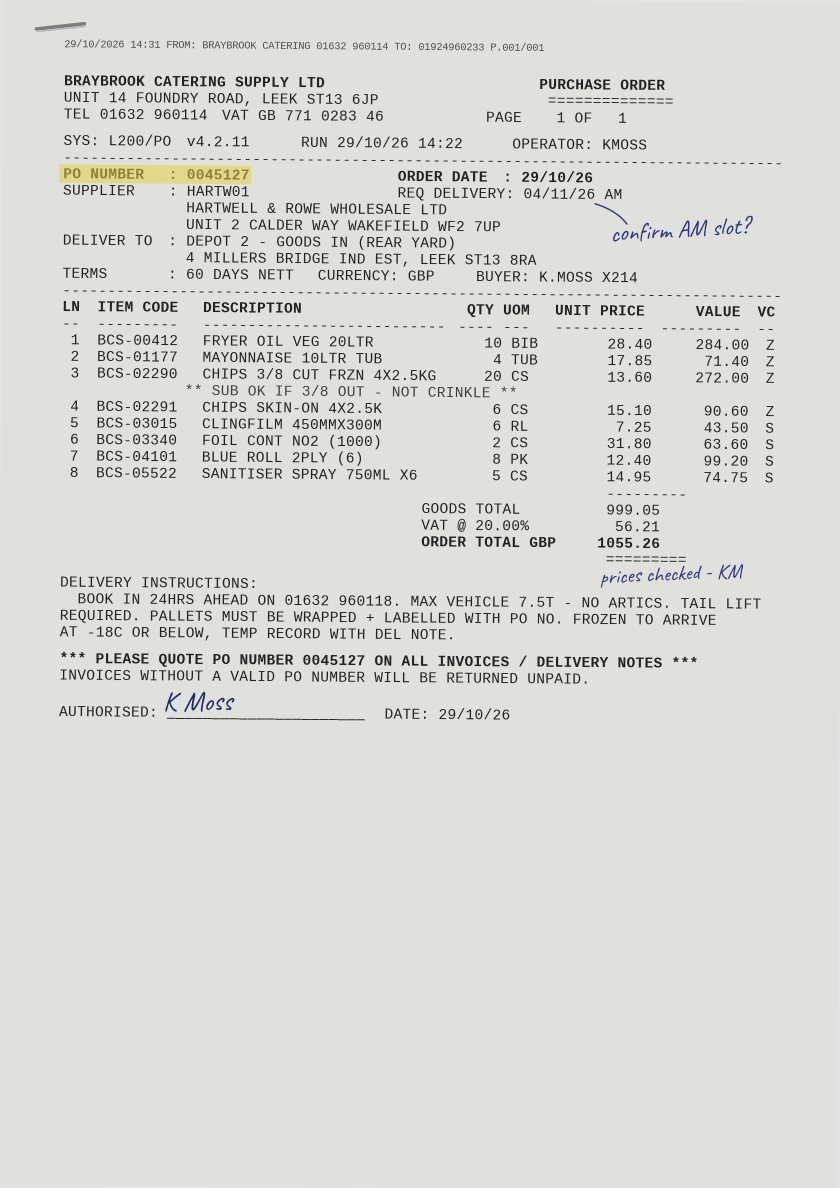
Every customer has their own layout and their own part numbers.
FromPriya, Larchmere Hotels
SubjectPO-24-07813
Please find our PO attached.
Goods-in Tue 3 Nov, 06:00–10:00.
PO-24-07813.pdf
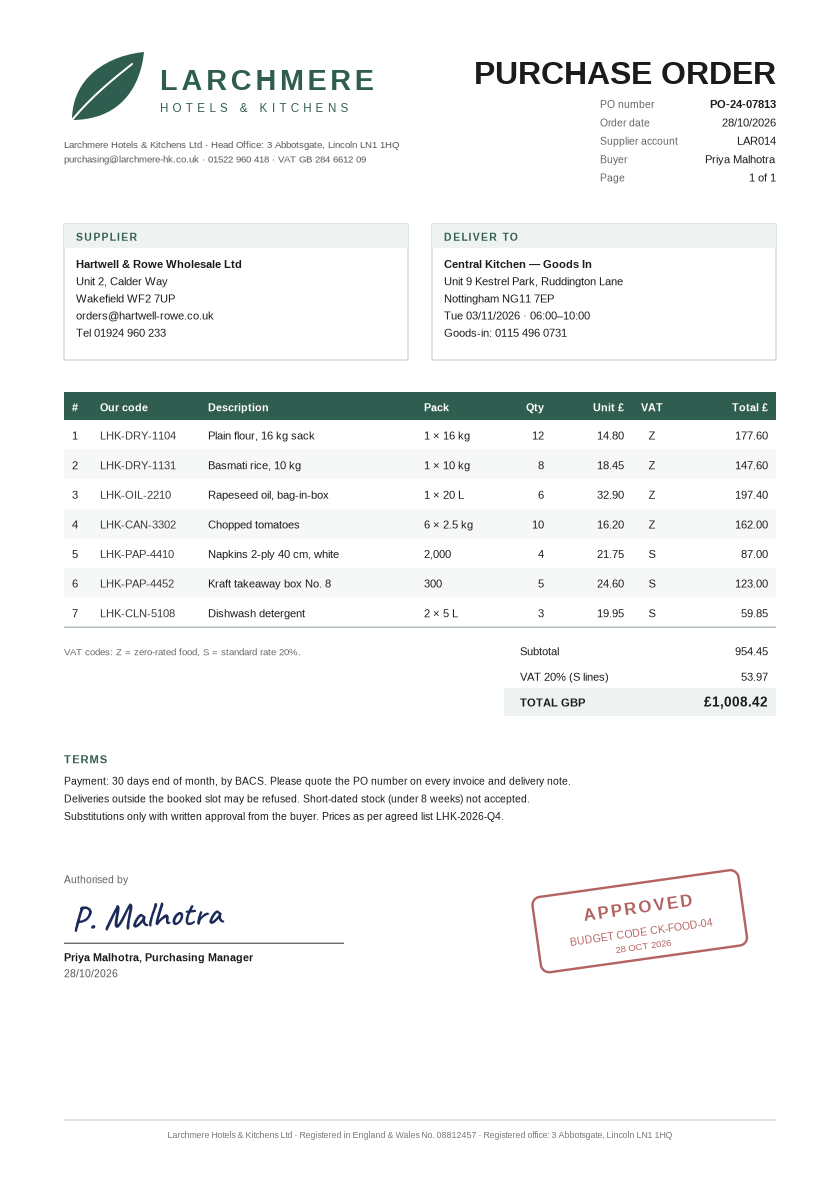
Their codes, not yours
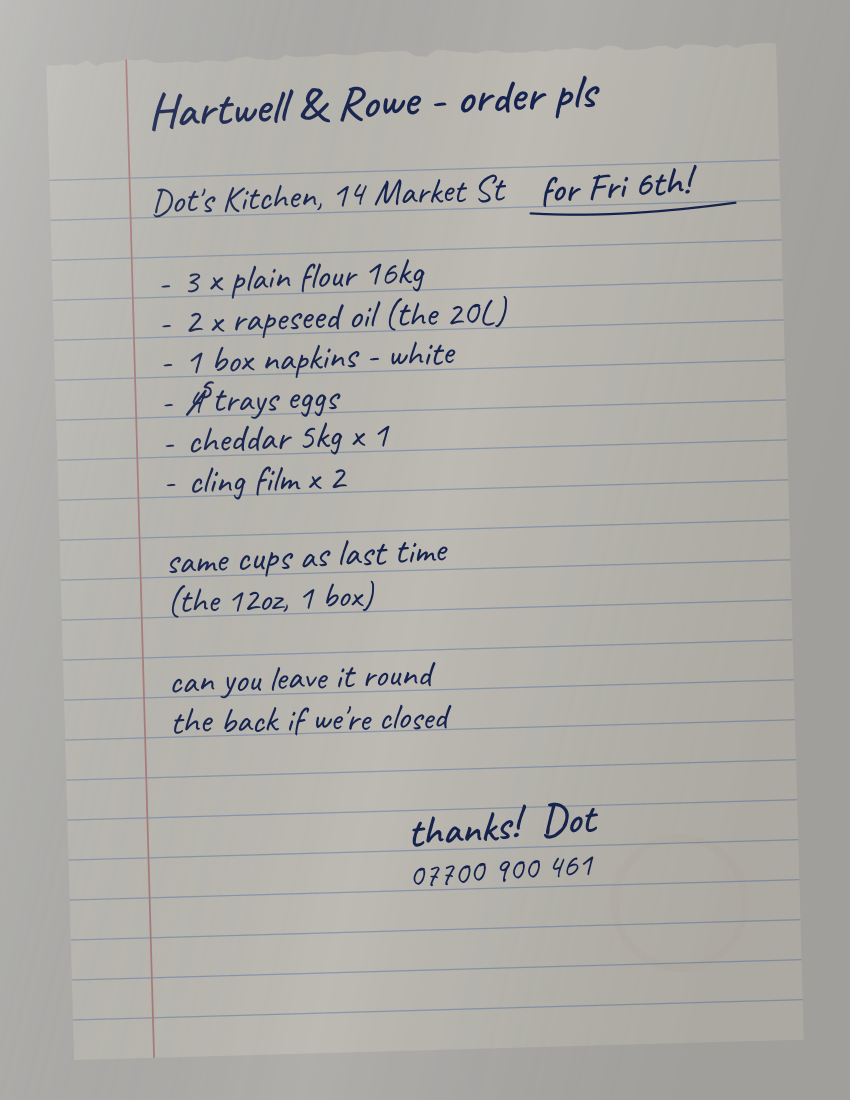
Written by hand, corrected
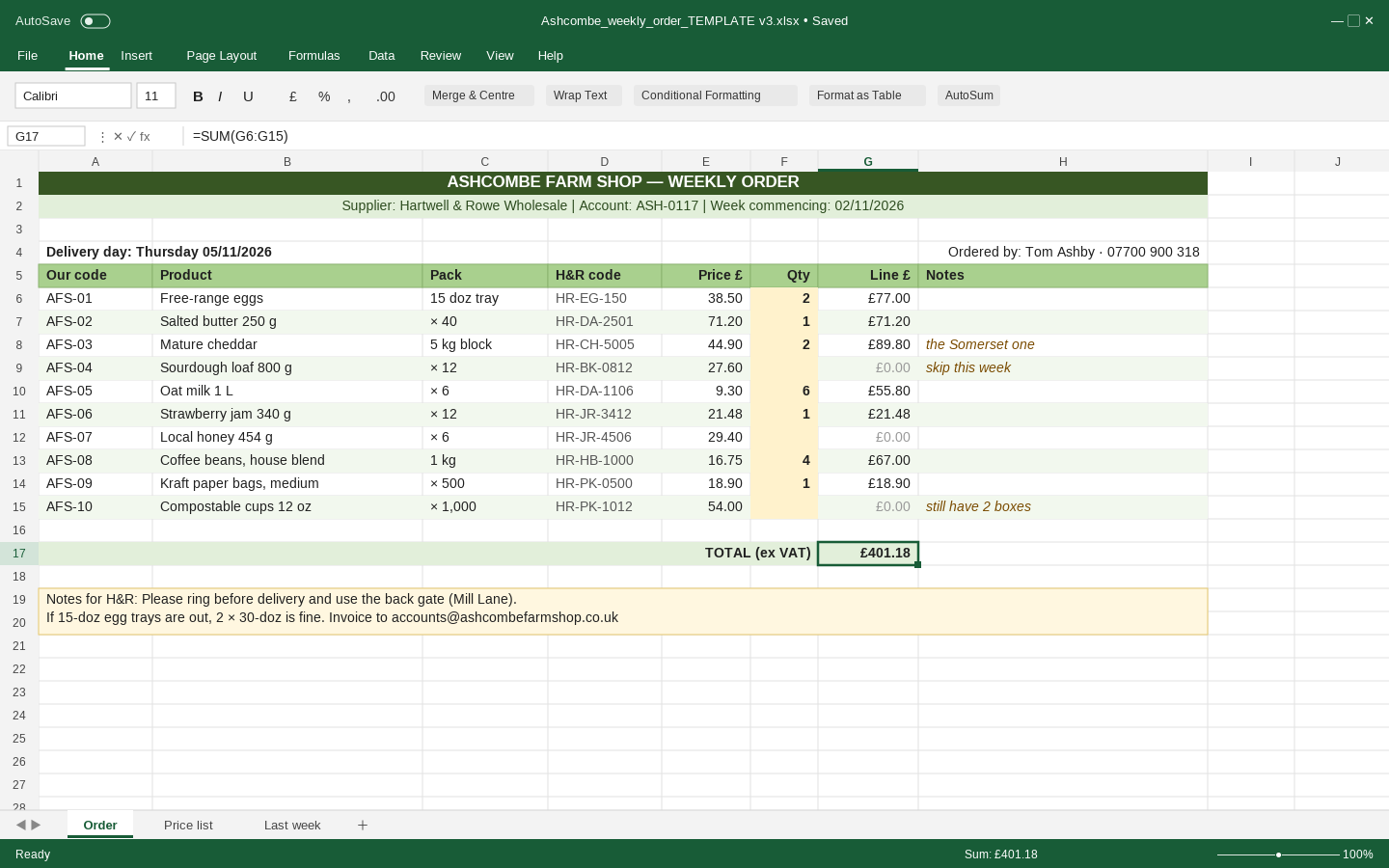
Blank cells, notes on the side
FromKev, Braybrook Catering
SubjectRE: RE: order Thursday
Same as last week please,
but 8 tubs of mayo, not 4.
Thanks, Kev
The order, in the email itself
Sample documents, fictional customers.
Where the
hours go
- Typical example
Seven lines to type
01Keying every order into the ERP
Each line of each PO typed in by hand, code by code, quantity by quantity.
- Typical example
Their codes, not yours
02Translating their codes into yours
Every customer orders in their own codes; someone looks up yours, line by line.
- Typical example
4 trays or 5?
03Reading what was written by hand
Notes, crossings-out and photos of a page, read and checked before anything ships.
What you get
The morning’s orders, sorted
Each read as it arrives: ready, asked, or sent to a person.
This morning
Larchmere HotelsReady to approve
Ashcombe Farm ShopBlank quantities, question drafted
Dot’s KitchenHandwritten, to a person
Their codes, matched to yours
Every customer’s code becomes your SKU, the price checked against the contract.
PO-24-07813 · Larchmere Hotels
LHK-DRY-1104HR-FL-1016
LHK-OIL-2210HR-OL-2020
LHK-PAP-4410HR-NP-4040Above contract
What’s unclear, asked for you
A short question for the customer, drafted; you decide what is sent.
Priya, Larchmere HotelsDraft, not sent
Line 5Napkins, pack of 2,000, quantity 4: is that 4 cases?
Nothing in your ERP until you approve
The import file waits for someone on your team.
odoo_sales_import.csv
Larchmere Hotels, PO-24-07813
7 lines, ready to import
ApproveYou
Example · fictional company · sample data
Honest limits
It does
- Reads email, PDF, Excel and CSV orders, each in its own layout
- Matches their codes to your SKUs through a mapping you approve
- Checks every price against the contract
- Flags a duplicate PO or attachment
It doesn’t
- Read a scanned PDF or a fax today: OCR is confirmed in scoping
- Read a photo of an order today, by email or WhatsApp: it goes to a person; reading it is confirmed in scoping
- Use a new code before a person approves it
- Write anything to your ERP without approval
- Decide special prices or credit holds: they stay your call
What we build
for you
What we build
Order Desk
order processing automation
Working demo, measured on sample data. Not yet live with a customer.
See Order DeskAI integration
Your order data is never used to train a model. The AI reads order emails and drafts the questions back.
How it worksAPI integration
Your ERP and your shop or trade portal kept in step, so an order is typed once.
How it worksCustom software
A screen for what still arrives on paper, or any tool your sales office is missing.
How it worksIt connects to
Ready today
Confirmed in scoping
Questions from
wholesalers
Something else? hello@pronian.com
What if a customer changes their layout?
The order is still read, and every value must be quoted from the document itself. If something cannot be found, the order waits for a person.
What about boxes versus each?
A quantity becomes boxes only if it divides exactly. Otherwise the line is held and a question for the customer is drafted.
Will it spot a duplicate order?
Yes. The same PO number or the same attachment arriving twice is flagged, as are a missing PO, quantity or address.
Where does the order data go?
Into an import file for Odoo, Logo Tiger or a generic CSV. Nothing is written to a live system. Other ERPs are confirmed in scoping.